Company preferences
Company preferences is your workspace's central settings record — one shared document per company that other modules read for currency, tax, document numbers, the catalogs that fill drop-downs, and how attendance is tracked. Change it once and it applies to everyone.
Who uses this
Company preferences is an administrator surface. There is exactly one settings record for the whole company — it is not per-user — so a change here affects every teammate at once. Editing any section needs the Company preferences: modify permission; if you can't open the settings screen, ask an administrator.
Field technicians never edit these settings, but they meet the results everywhere — the service types on a work order, the currency on an invoice, and the check-in rules that decide whether they can clock in all come from here.
The areas you can configure
In the app these settings are grouped into categories under Company Settings. This section of the manual covers the four you'll tune most often:
Two further categories also live in Company Settings but have their own homes elsewhere in the manual: locale (currency, language, timezone, units — see below) and costing (labor cost profiles that feed actual-cost calculations).
Set your currency and locale
Locale sits in the General category alongside document numbering. It's usually the first thing you set up.
Open Company Settings → General
Select Company Settings from the main menu, then choose General.
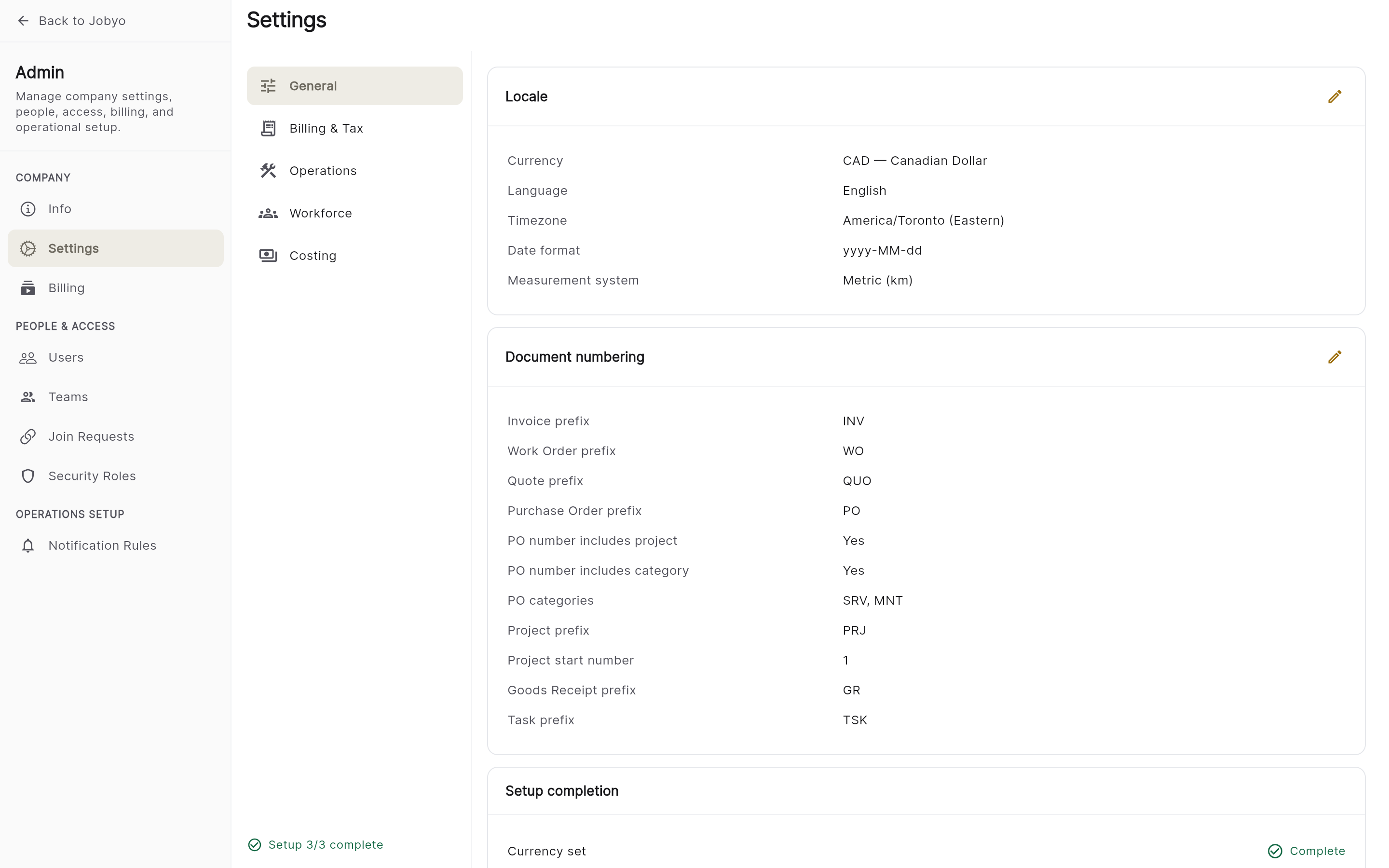
Company Settings — General category with the Locale section Set the locale fields
Set any of: currency (a three-letter ISO code such as CAD, USD, or GBP — the default is CAD), country, language, timezone, date format, time format, distance unit (km or mi), and measurement system (metric or imperial).
Save
Select Save. The new locale applies across the app right away.
Changing the currency affects how amounts show on new documents. It does not recalculate figures on records that already exist.
What's stored but not yet enforced
Jobyo's backend can store several settings that don't yet have a screen — or that save but aren't acted on. Being honest about these avoids surprises:
- Work-order close requirements and defaults (signatures, photos, resolution, GPS before close; default status/priority) — stored, but not enforced today.
- Notifications (email/push toggles) — stored, but no engine sends on them yet.
- Approvals — other document types (work-order close, purchase invoice, timesheet, quote-above-amount) — stored, but no approval workflow acts on them yet. Purchase order approval is the exception — it's live; see Set up purchase order approval.
- Customer portal — the self-service portal is a Business-plan feature; see Subscriptions & plans.
- Tax invoice flags — see Billing & tax.
Each of these becomes live as the matching feature ships.
If it doesn't work
- Can't open Company SettingsYour role does not include the Company preferences permission. Only administrators can view or change company settings.
- Currency reverts after savingThe value isn't a recognised currency code. Use the three-letter code (CAD), not a name (Canadian Dollar).
- A change did not applyA few sections are stored but not yet enforced — see "What's stored but not yet enforced" above.