Warehouses (stock locations)
A warehouse is a place that holds inventory. Jobyo tracks a company warehouse — a physical location like your Main Warehouse — and a vehicle warehouse — the on-board stock a technician carries in their truck. Stock levels are kept per warehouse, so you can see how much of an item is held in each place. Here's how warehouses work and where you'll meet them.
Who uses this
Jobyo has a dedicated Warehouses screen — open it from the main menu to create, rename, and manage your company warehouses (look for New Warehouse to add one). Creating or renaming a company warehouse is reserved for owners, administrators, and operations managers. Warehouses also appear as a picker in the flows that use them (purchase orders, goods receipts, and inventory views), and most roles, including technicians, can see and pick them there so those forms resolve.
The two kinds of warehouse
- Company warehouse — a physical location such as your Main Warehouse. Every company starts with one default company warehouse.
- Vehicle warehouse — the on-board stock a technician carries in their truck, kept separate from the main company stock.
Each item's on-hand quantity is held per warehouse. On live data, stock that hasn't been routed to a named warehouse is treated as "unlocated" — the same behavior as before warehouses existed — until goods start being received into specific warehouses.
The Main warehouse
Every company automatically gets a single default Main warehouse when the company is first set up — you don't need to create it. It's the fallback receiving location: when goods are received without a specific destination, they're routed to Main.
Because it's the default receiving location, the Main warehouse can't be deleted while it's still marked as the default. Clear the default flag first if you ever need to remove it.
Vehicle (truck) warehouses
A technician's vehicle warehouse is created automatically the first time their profile is set up to carry stock. This lets Jobyo keep truck stock separate from the main company stock.
Turning the vehicle-stock setting back off does not delete the warehouse, so any stock recorded against it is preserved.
Where warehouses show up
Warehouses are used wherever stock moves. You'll meet them as a picker in these flows:
Choose a destination on purchasing
When you create a purchase order or record a goods receipt, choose the destination warehouse for each line. If you leave it unset, received stock is routed to your Main warehouse.
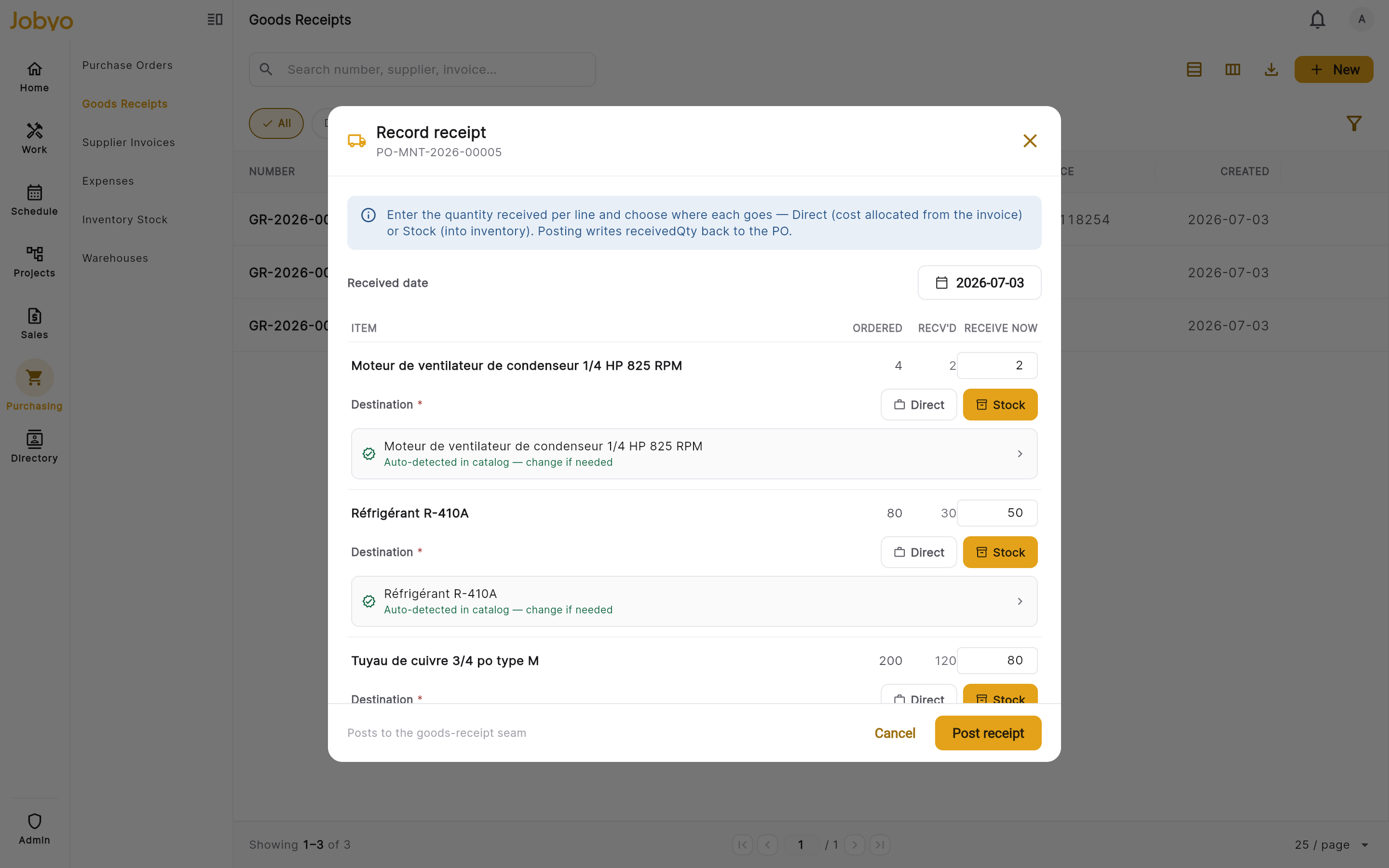
Goods receipt line — destination warehouse picker See per-warehouse stock levels
On inventory / stock views, stock is shown per warehouse, so you can see where each item is held. An item stocked in more than one place shows a per-warehouse breakdown alongside its total.
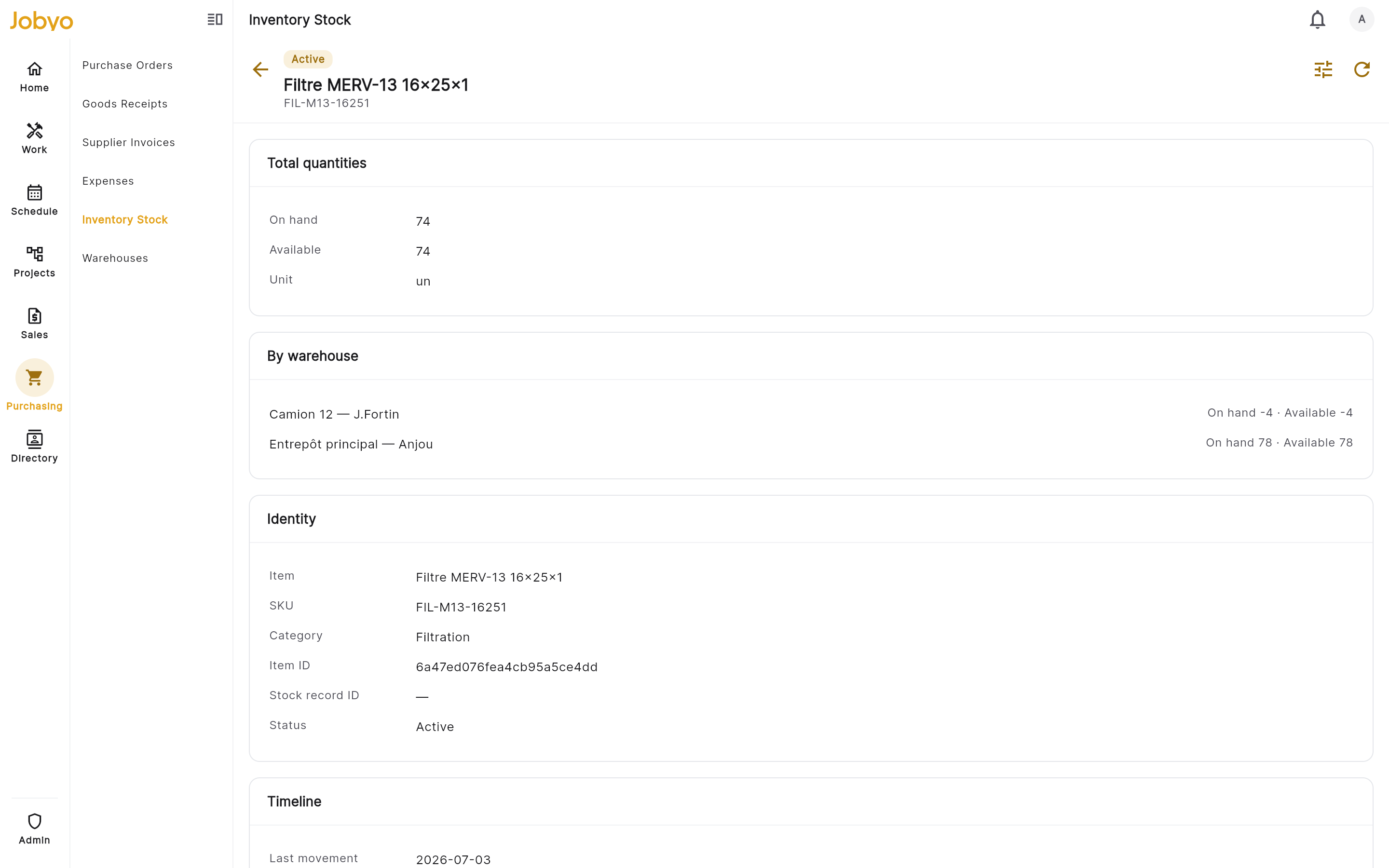
Inventory stock detail — quantities by warehouse Keep company and truck stock apart
Because vehicle warehouses are separate, company stock and each technician's truck stock stay distinct in every stock view.
Permissions
- Most roles can see warehouses and pick them in purchase-order, goods-receipt, and stock screens.
- Creating or renaming a company warehouse is limited to owners, administrators, and operations managers.
- Deleting a warehouse is restricted, and the default Main warehouse can't be deleted while it's still the default.